AI TOOL / #03976
PowerPost
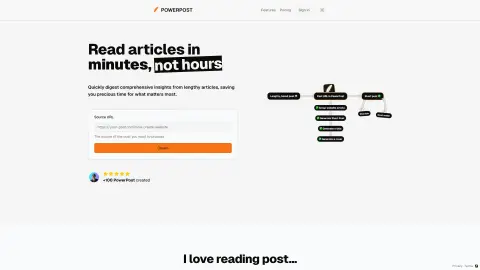
PowerPost summarizes, translates and allows interaction with articles for quick insights.
Introduction
PowerPost summarizes, translates, and allows chatting with articles for quick insights.
What is PowerPost?
PowerPost helps you turn lengthy articles into quick insights. It allows you to bookmark, summarize, translate and interact with posts in your preferred language and style. Designed to help you create content and learn faster by extracting the most important information from articles.
How to use PowerPost?
To use PowerPost, you simply provide the source URL of the article you want to process. PowerPost will allow you to bookmark, summarize, translate and interact with articles. You can also choose different article styles and reading preferences.
PowerPost Core Features
Summary of a lengthy article
Translate posts into different languages
Chat feature to interact with posts
Customizable reading style (color, font, size)
Save post to read later
Content creation assistance
Related
Shulex Copilot
AI-powered e-commerce tools assist sellers in analyzing data, optimizing product listings, and enhancing customer service.
Celina
An AI-powered spreadsheet assistant that uses natural language to manage and analyze data.
Excel Dashboard Ai
AI tool that instantly turns Excel files into dashboards and reports.
RapidChart.ai
An AI-based tool for generating technical diagrams from text.
Vizzy
An open-source tool for rapid data visualization, based on ChatGPT.
Arcwise AI
AI analyst for Google Sheets using data understanding and analysis tools powered by ChatGPT.