AI TOOL / #04236
DeepSeek AI
An AI-powered tool for analyzing web content and providing answers.
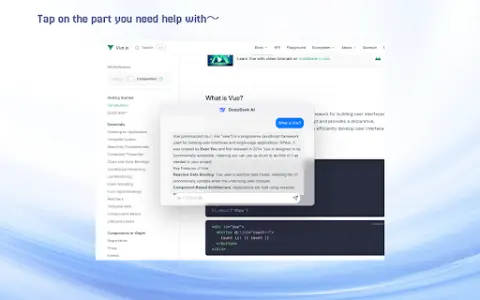
Introduction
AI-powered tool for web content analysis and answering.
What is the DeepSeek AI Chrome extension/plug-in?
DeepSeek is an AI-powered tool designed to provide users with intuitive and efficient capabilities for analyzing web content and obtaining answers. By selecting text from a webpage, users can leverage DeepSeek’s advanced AI models to obtain in-depth analyses and relevant information.
How to use the DeepSeek AI Chrome extension/plug-in?
1. Install the DeepSeek extension from the Chrome Web Store.
2. Enter your API key to activate the custom AI service.
3. Select the text on the web page, right-click on it, and choose DeepSeek to obtain intelligent answers.
The core functions of the DeepSeek AI Chrome extension/plug-in
Intelligent responses to the text on the selected web page
Customize API integration to enable personalized AI services.
Multi-language support
User-friendly interface
Protect privacy through local data processing.
Related
EaseQuiz
An AI-driven question-answering generator created from text, images, or PDF files, primarily designed for educators and students.
Joint Angels
A free tool that helps clinicians measure joint range of motion and perform movement analysis.
Save to Kive
An intelligent asset platform that helps creators collect, organize, and collaborate on creative content.
LensQuery
Model-agnostic AI chat app with image analysis and engaging AI conversations.
CrayEye
CrayEye: A multimodal tool designed for creating and sharing AI-generated visual prompts.
AutoCropper
AI-based tools are used to batch crop and divide scanned images into individual pictures.