AI TOOL / #04632
CherryPick
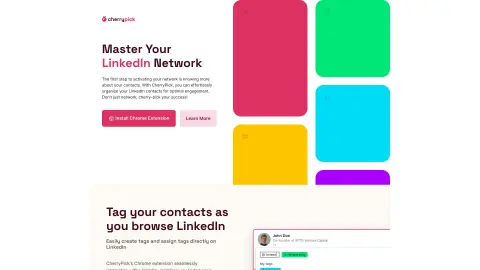
A Chrome extension designed to help organize, label, and manage LinkedIn contacts, thereby facilitating more effective networking.
Introduction
Chrome extension to organize, tag, and manage LinkedIn contacts for better networking.
What is CherryPick?
CherryPick is a Chrome extension designed to help users organize, label, and manage their LinkedIn contacts effortlessly, thereby enhancing their networking efforts and career development. It allows users to create and assign custom tags to their contacts, organize their network, track potential clients, and categorize contacts based on their interests. The extension integrates seamlessly with LinkedIn, enabling users to label contacts while browsing the platform and exporting organized lists for easy integration with other tools.
How to use CherryPick?
1. Install the Google Chrome extension.
2. Use your email address and password to create a CherryPick account.
3. Continue browsing LinkedIn as you usually would; the features of CherryPick will appear while you are browsing.
4. Create and assign tags for your contacts on LinkedIn, and then export the list.
The core functionality of CherryPick
Mark and organize LinkedIn contacts.
Seamless integration with LinkedIn
Custom tags can be defined.
Contact person segmentation
Export the marked contacts in CSV or JSON format.
User-friendly dashboard
Related
Nimble Web Search Agents
Agent-specific web search API
Sirius Intelligence
AI bid generation tool
AutoSprite
AI game sprite animation generator
WorkID
An AI recruitment platform that performs identity verification
The Mofar Nebula
3D Digital Avatar Embodied Intelligence Platform
Paid
Billing and monetization platform for AI agents