AI TOOL / #06677
Voice Control for Netflix
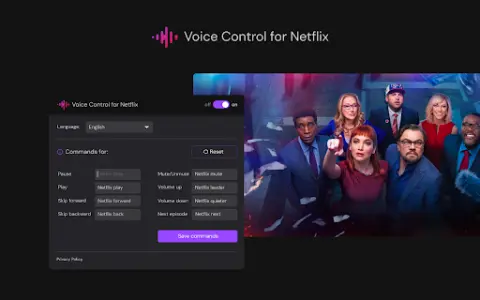
Use voice control to operate Netflix: play, pause, fast-forward, and more.
Introduction
Control Netflix with your voice: play, pause, fast-forward, and more.
What is the Voice Control for Netflix AI Chrome extension/plugin?
Netflix’s voice control allows users to manage their Netflix experience via voice commands. This includes tasks such as playing, pausing, and advancing videos, all without the need to use a remote control or touch the screen.
How to use the Voice Control feature for the Netflix AI Chrome extension/plug-in?
Simply enable Netflix’s voice control, and then use voice commands to control playback, navigate the menu, and search for content.
The core functionality of the Netflix AI Chrome extension/plugin for voice control
Use voice control to operate Netflix playback functions (play, pause, fast forward, rewind).
Hands-free navigation, Netflix menu
Voice search for films and TV shows
Related
Ludex | Sports Card and TCG Scanner with Price Guide App
Ludex is a sports and TCG card scanning application that also includes a price guide and collection management features.
Ping Path
Navigation apps designed for people with visual impairments, which utilize artificial intelligence, augmented reality, and spatial audio technology.
Find That Photo – Find Photos Fast
AI-powered photo library apps make it easy to search by object, text, or person.
Block Blast Solver
Free block blast solver that uses AI analysis to provide the best moves.
Palmyst
Palmyst offers interactive palm reading services to help you gain insights into the key aspects of your life.
RockIdentify – Rock Identifier
Mobile app for instant rock identification using AI.