AI TOOL / #07146
ImageToText
An extension that copies text from images on the internet via the OCR.Space API.
Introduction
An extension to copy text from images on the internet using OCR.Space API.
What is the OCR.Space API AI Chrome extension/plugin?
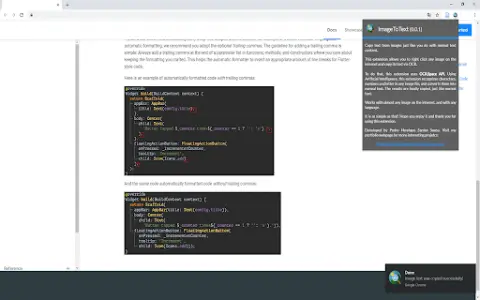
This extension lets you copy text from any image on the internet just like regular text content. Simple—that's the goal of this app. Just right-click the image, select “Copy Image Text,” and you're done… You can use and paste the text you see in that image. It's very useful for extracting text from informative, entertaining, and code-block images. Now you don't have to rewrite everything—with this extension, the problem is solved. To process images, this extension uses the OCR.Space API.
How do I use the OCR.Space API AI Chrome extension/plugin?
Right-click an image, select "Copy Image Text," and then paste the extracted text.
Core features of the OCR.Space API AI Chrome extension/plugin
Copy text from images on the internet.
Related
versy
Versy.ai is a platform that utilizes generative artificial intelligence to transform text-based prompts into interactive virtual experiences. It goes beyond traditional 3D technologies, enabling the creation of escape rooms, leaderboards, product configuration tools, and much more.
Krut AI
An AI platform for generating custom e-commerce images, no professional tips required.
Sivi AI
Multilingual AI design generator for rapid graphic design creation and editing.
AI Thriving
AI-powered image generation API for text and image conversion.
Neural Canvas
An AI-based generator for digital illustrations and comics.
Voz AI Voice Note Taker
An AI-based note-taking tool used for recording, transcribing, and summarizing audio and video content.