AI TOOL / #07177
Chrome Virtual Camera
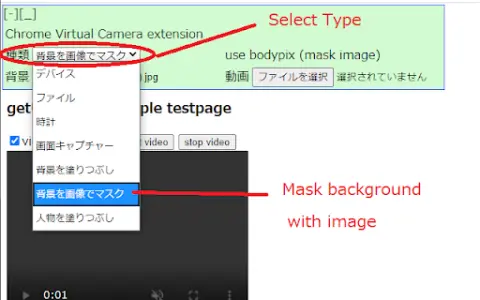
Use the clock, video file, and background masking options in place of getUserMedia().
Introduction
Replaces getUserMedia() with clock, video file, and background masking options.
What is the getUserMedia() Replacement AI Chrome extension/plug-in?
This tool replaces the standard getUserMedia() function, enabling the use of clocks, video files, as well as the tfjs/body-pix technology as background masks for video sources.
How to use the getUserMedia() Replacement AI Chrome extension/plug-in?
This tool intercepts calls to the getUserMedia() function and provides alternative video sources, such as clocks, video files, or video streams with masks using tfjs/body-pix. The specific implementation and configuration details depend on the particular library or technology being used.
The core functionality of the getUserMedia() replacement AI Chrome extension/plug-in
Replace the getUserMedia() function
Provide a clock as the video source.
Provide a video file as the source material for the video.
Implement background masking using tfjs/body-pix.
Related
TryCase
Automatically run end-to-end tests for PRs
AIReel
One-stop AI video generation service
Typewise
AI Customer Service Experience Platform
Dograh
Open source voice agent platform
AIpai
An intelligent agent for generating video content based on a single sentence
Creatune AI
Free AI music generation tool