AI TOOL / #07278
Skin Cancer Image Search
A Chrome extension that compares images of moles with a database of skin cancer cases.
Introduction
Chrome extension that compares mole images to skin cancer databases.
What is Mole Similarity Chrome Extension ai chrome extension/plugin?
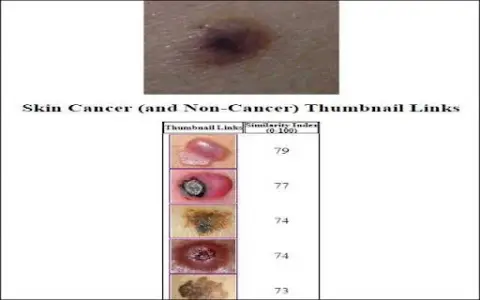
This Chrome extension helps users identify potential skin cancer risks by comparing images of their moles to a database of skin lesion images. It analyzes similarities between a user's moles and hundreds of images from 16 skin cancer websites and databases, then provides information linked to similar-looking lesions.
How to use Mole Similarity Chrome Extension ai chrome extension/plugin?
Install the Chrome extension, upload your mole image, and enter the activation code corresponding to the current month. The extension will analyze the image and provide links to similar skin lesions.
Mole Similarity Chrome Extension ai chrome extension/plugin core functionality
Nevus image analysis and comparison
Provide links to images of similar skin lesions
Image database from 16 skin cancer websites
Related
SummaryGPT
A Chrome extension designed for generating instant article summaries and extracting key information.
arXiv GPT summarizer
Use the OpenAI API to summarize arXiv papers, with support for custom prompts and Large Language Models.
Simplifly
Chrome extension for automatically summarizing news articles via NLP and PageRank technology.
Summarize
Artificial intelligence-based tools designed for generating instant summaries of articles and texts.
AI-Powered Wikipedia Summarizer
An AI-powered tool designed for creating concise and quick summaries of Wikipedia content, utilizing ChatGPT.
VidSense
The AI-powered YouTube Partner offers real-time video analysis and efficient information retrieval capabilities.