AI TOOL / #08854
PordaAi – RealTime HaramBlur
AI-powered tool that blurs haram content in images and videos in real time.
Introduction
AI-powered tool to blur haram content in images and videos in real-time.
What is Porda AI ai chrome extension/plugin?
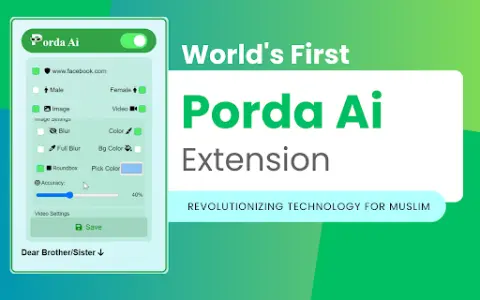
Porda AI is an advanced artificial intelligence solution designed to automatically blur haram objects in images and videos in real time. Developed by students, the technology is designed to protect users from unwanted content and is in line with Islamic teachings on non-mahram content. It is available as a computer application and browser extension.
How to use Porda AI ai chrome extension/plugin?
Download the Porda AI extension or computer application. For extensions, use the Chrome or Brave browser, pin the extension, click on the icon, save settings, and customize as needed. For Android, install using the Kiwi browser. Computer applications run directly on the screen.
Core features of Porda AI ai chrome extension/plugin
Blur haram objects in real time
Run offline to ensure data security
Customizable website and media type settings
Multiple overlay options (blur, color, etc.)
Fast detection and strong caching mechanism
Related
Telemetry Harbor
Secure IoT data management facilitates collection, analysis, and visualization.
Octo
An AI-driven analysis tool designed for Google Sheets, which utilizes natural language processing.
HYOUKA
An AI-powered survey kiosk, designed for interactive feedback and gaining deeper insights into customer behavior.
Crowd
An AI-driven customer intelligence platform that enables unified insights.
Motif Analytics
A toolkit that assists analysts in identifying patterns within the original sequence of events.
bythenumbersapp.com
Shopify’s analytics and marketing automation platform offers advanced reporting capabilities as well as artificial intelligence-based segmentation tools.