AI TOOL / #09926
MacGaiver
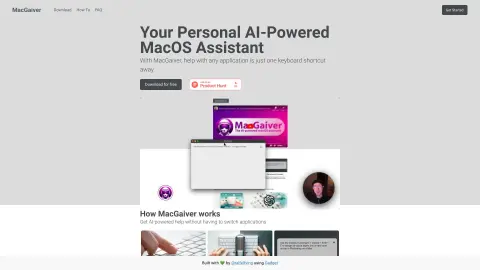
An AI-powered macOS assistant that uses computer vision to answer questions regarding any application.
Introduction
AI-powered macOS assistant that answers questions about any application using computer vision.
What is MacGaiver?
MacGaiver is an AI-powered macOS assistant that utilizes computer vision to answer questions regarding any application. By pressing a keyboard shortcut and posing your question, you can get assistance without leaving the current window. MacGaiver uses the OpenAI Vision API to provide answers in the context of your query.
How to use MacGaiver?
In any application, you can activate MacGaiver using keyboard shortcuts to submit your question—either in audio or text form. MacGaiver will then respond using answers derived from the context, relying on OpenAI GPT-V for its functionality.
The core features of MacGaiver
Provide AI-powered assistance within any macOS application.
Utilize computer vision to provide context-based answers.
Activate keyboard shortcuts
Integration with the OpenAI Vision API
Related
UnStruct AI
UnStruct.ai: Contextual analysis of diverse data sources using customizable RAG and LLM.
VerbaGPT
A tool that uses LLMs for data analysis, focusing on data privacy and ease of use.
Anilyst
An AI-driven platform for data analysis, insights generation, and visualization.
wyd.chat
An iMessage data analysis tool that provides statistics and insights regarding SMS messages.
Supaboard AI
Artificial intelligence-powered business intelligence tools that enable the creation of dashboards and data analysis without requiring specialized knowledge.
Outlier Database
OutlierDB provides advanced BJJ analysis, powered by AI search.