AI TOOL / #05752
SpeakGPT
ChatGPT’s voice interface enables hands-free interaction with GPT-3.5.
Introduction
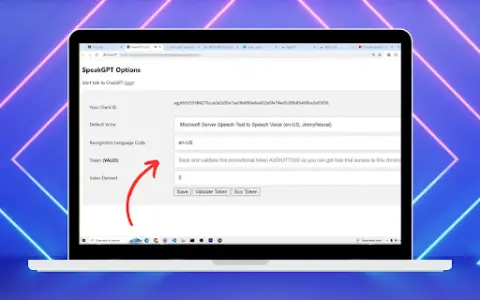
Voice interface for ChatGPT, enabling hands-free interaction with GPT-3.5.
What is the ChatGPT Voice AI Chrome extension/plug-in?
ChatGPT Voice is a tool that enables users of GPT-3.5 (as well as other models) to interact with AI via voice commands. This makes communication with AI more natural and hands-free, making it accessible to a wider range of users—including those who may have difficulty typing or prefer a conversational interface. Essentially, it adds a vocal component to the standard text-based ChatGPT experience.
How to use the ChatGPT Voice AI Chrome extension/plug-in?
The specific steps for using ChatGPT’s voice functionality depend on the method of implementation. Generally, this will involve activating the voice input option within the ChatGPT interface (if available) or utilizing third-party applications that integrate with the ChatGPT API. Once activated, users can dictate their prompts or questions, and the AI will respond in either text or audio format.
The core functions of the ChatGPT Voice AI Chrome extension/plug-in
Voice input for ChatGPT
hands-free interaction
Natural language dialogue
Related
AlgoDocs
An artificial intelligence-driven automated platform for extracting data from documents.
Expenses Day
The digitization of expenses, based on artificial intelligence, includes receipts, bank statements, handwritten lists, and more.
Table OCR – Extract tabular data from Pdf/Img
Table OCR extracts data from tables within images or PDF files and converts it into a structured format.
Copywrite+
An AI-based tool that converts handwritten content into formatted digital text and documents.
OLOCR
Free online OCR service for images and PDF files, supporting batch processing and multiple languages.
Chrome Virtual Camera
Use the clock, video file, and background masking options in place of getUserMedia().