AI TOOL / #06945
UIsnapper
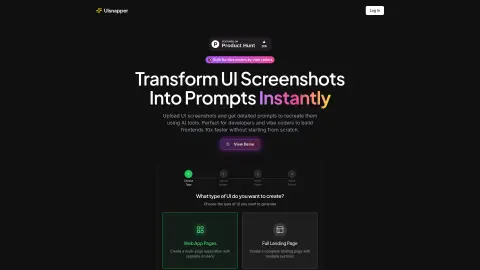
Convert UI screenshots into AI-generated prompts, enabling quick and code-free UI cloning.
Introduction
Converts UI screenshots into AI prompts for fast, no-code UI cloning.
What is UIsnapper?
UIsnapper converts any UI screenshot into detailed AI-generated prompts that can be used by tools such as Lovable or Cursor. This enables quick and easy cloning of websites and applications without the need for coding. It helps developers and “atmosphere coders” increase their efficiency by tenfold in front-end development, by transforming UI screenshots into ready-to-use prompts that can be utilized by AI-based coding tools like Cursor, v0, and Lovable.
How to use UIsnapper?
When using UIsnapper, first choose the type of UI you want to create (either a web application page or a complete landing page). Then, upload your screenshots of the UI. After uploading them, name the page and the project. UIsnapper will generate detailed guidelines based on these screenshots, which can be used by AI tools to recreate the UI.
The core functions of UIsnapper
UI Analysis: Upload any UI screenshots to obtain detailed analyses of colors, layout, spacing, and component structure.
Tip generation: Automatically generates accurate tips for your use, enabling you to reproduce the exact UI elements.
Further discussion: Communicate with an AI assistant that understands the context of your user interface design to refine your concepts and obtain answers to specific questions.
Related
AlgoDocs
An artificial intelligence-driven automated platform for extracting data from documents.
Expenses Day
The digitization of expenses, based on artificial intelligence, includes receipts, bank statements, handwritten lists, and more.
Table OCR – Extract tabular data from Pdf/Img
Table OCR extracts data from tables within images or PDF files and converts it into a structured format.
Copywrite+
An AI-based tool that converts handwritten content into formatted digital text and documents.
OLOCR
Free online OCR service for images and PDF files, supporting batch processing and multiple languages.
Chrome Virtual Camera
Use the clock, video file, and background masking options in place of getUserMedia().