AI TOOL / #06992
AnswersAi
AI-powered tools that provide quick answers to course-related questions.
Introduction
AI-powered tool for instant answers to coursework questions.
What is AnswersAi?
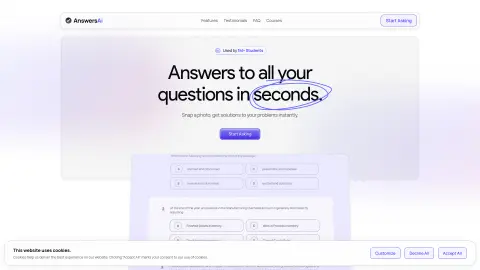
AnswersAi is an artificial intelligence-based tool designed to provide immediate answers and explanations for course-related questions. It is capable of detecting the content displayed on the user’s screen and offering solutions for various question types, including fill-in-the-blank and multiple-choice questions. This tool is compatible with platforms such as Blackboard and Canvas. Its purpose is to reduce the time spent on learning, improve academic performance, and offer a fast and efficient way to solve problems.
How to use AnswersAi?
Users can utilize AnswersAi by taking photos or capturing screenshots of their problems. The tool will then provide immediate solutions. It is available through a website, Chrome extensions, as well as mobile apps for both iOS and Android devices.
The core functions of AnswersAi
Answer questions immediately.
Solving fill-in-the-blank and multiple-choice questions
A Chrome extension that is compatible with any website.
Mobile applications enable access at any time and anywhere.
Related
AlgoDocs
An artificial intelligence-driven automated platform for extracting data from documents.
Expenses Day
The digitization of expenses, based on artificial intelligence, includes receipts, bank statements, handwritten lists, and more.
Table OCR – Extract tabular data from Pdf/Img
Table OCR extracts data from tables within images or PDF files and converts it into a structured format.
Copywrite+
An AI-based tool that converts handwritten content into formatted digital text and documents.
OLOCR
Free online OCR service for images and PDF files, supporting batch processing and multiple languages.
Chrome Virtual Camera
Use the clock, video file, and background masking options in place of getUserMedia().